
Sunrisetechs-Phoneicon-Sidebar
Top 10 Microsoft PowerApps development services in Australia

Best Microsoft Dynamics 365 Business Central Developer Australia

Table of Contents

There’s a point in most organisations where systems stop being the problem—and how those systems connect becomes the real issue.

Teams are using Microsoft 365, maybe Dynamics, maybe a few third-party tools. But processes still rely on emails, spreadsheets, or manual approvals. Data exists, but it’s not where people need it. And small operational gaps start adding up to real inefficiencies.

That’s exactly where PowerApps comes into the conversation.

Not as a replacement for core systems—but as a way to build what those systems don’t cover.

The challenge is, PowerApps itself isn’t the hard part.
The hard part is finding the right team to build something that actually works in your environment.

This guide looks at some of the top PowerApps development companies in Australia, with a focus on those who can move beyond simple apps and deliver solutions that integrate properly, scale across teams, and solve real operational problems.

What Does a PowerApps Developer Actually Do?

This is one of the most misunderstood roles.

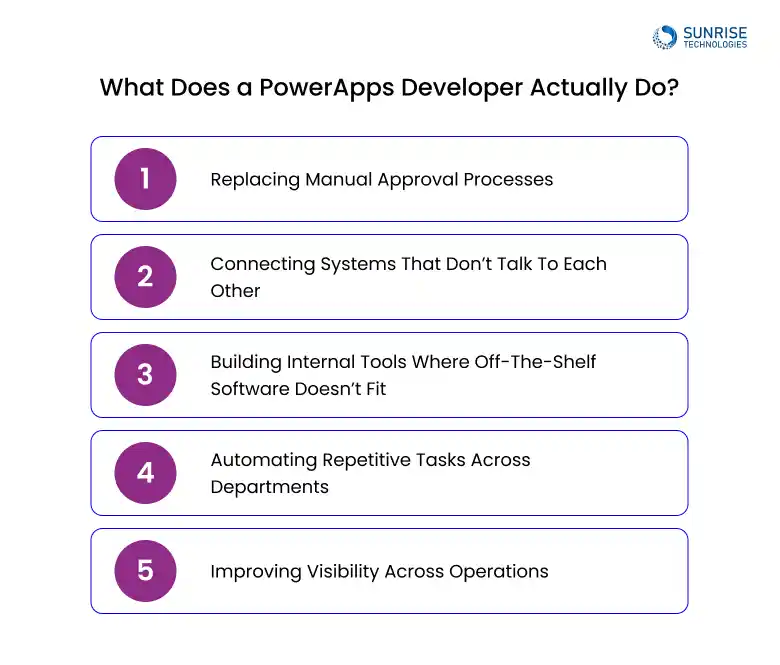
A PowerApps developer isn’t just building forms or simple apps. In most real projects, they’re solving problems like:
what-does-ms-powerapps-developer-do
  • Replacing manual approval processes
  • Connecting systems that don’t talk to each other
  • Building internal tools where off-the-shelf software doesn’t fit
  • Automating repetitive tasks across departments
  • Improving visibility across operations

In practical terms, they’re the ones who turn “this is slow and manual” → into something that runs in the background.

That’s why businesses searching for Microsoft PowerApps developers Australia are usually already dealing with workflow gaps—not just exploring the platform.

When Should a Business Use PowerApps?

PowerApps isn’t for everything—and using it in the wrong place can create more complexity than value.

It works best when:

  • You need internal tools quickly
  • Existing systems don’t fully support your workflow
  • Processes rely heavily on manual steps
  • You need lightweight apps across teams without full software builds

It’s less suitable when:

  • You need a full enterprise platform from scratch
  • The problem is already solved by existing systems
  • Long-term scalability hasn’t been considered

This is why choosing the right PowerApps development company Australia matters. The decision isn’t just about building—it’s about building the right thing.

Top PowerApps Development Companies in Australia

Below is a curated list of PowerApps development companies Australia, based on real positioning, services, and delivery focus.

1. Sunrise Technologies

Sunrise-Tech-logo

Sunrise Techs stands out among PowerApps development companies Australia for one key reason: they don’t just build apps—they solve how systems actually work together.

What Sets Them Apart

Most PowerApps projects focus on building isolated tools. Sunrise takes a different approach by using PowerApps as part of a connected system architecture, integrating Microsoft 365, Dynamics, and third-party platforms into a single operational flow.

This means the outcome is not just an app—it’s a working process across the business.

Where They Add Real Value

  • Automating workflows across departments (not just within one team)
  • Connecting CRM, ERP, and operational systems
  • Replacing manual processes with structured, scalable solutions
  • Designing apps that teams actually adopt and rely on

Why They’re Often Chosen

Businesses comparing top PowerApps developers in Australia typically choose Sunrise when

  • Existing systems don’t connect properly
  • Teams rely on manual workarounds
  • There’s a need for long-term, scalable solutions—not quick fixes

Best Fit: Mid-sized and enterprise organisations that want to reduce operational friction, not just digitise forms..

2. Setup4

setup4-logo

Website: setup4.com.au

Setup4 positions itself as a Microsoft-focused implementation partner, with PowerApps as part of its broader Power Platform offering

What Sets Them Apart

Their strength lies in practical deployment within Microsoft environments, especially for organisations already using SharePoint, Teams, or Dynamics.

Where They Add Value

  • Extending Microsoft 365 with custom apps
  • Business process improvements using Power Platform
  • Structured implementation approach

Best fit: Businesses already invested in Microsoft tools and looking to extend functionality without heavy custom builds.

3. Power Platform Experts

power-platform-logo

Website: powerplatformexperts.com.au

Power Platform Experts is one of the few firms in Australia that focuses almost entirely on the Power Platform stack.

What Sets Them Apart

They bring deep platform-level expertise, particularly across PowerApps, Power Automate, and Power BI.

Where They Add Value

  • Complex workflow automation
  • Data-driven applications
  • End-to-end Power Platform solutions

Best fit: Organisations looking for specialised Power Platform capability rather than a general Microsoft partner.

4. SOPE

sope-logo

Website: sope.com.au

SOPE positions itself around digital transformation using Microsoft technologies, including PowerApps.

What Sets Them Apart

Their approach is more process-led than tool-led, focusing on how PowerApps fits into broader transformation initiatives.

Where They Add Value

  • Workflow redesign and automation
  • Integration with Microsoft ecosystem
  • Structured transformation programs

Best fit: Businesses undergoing broader digital transformation, not just app development.

5. Dynamic Aspect

dynamic-aspects-logo

Website: dynamicaspect.com.au

Dynamic Aspect focuses strongly on PowerApps portals and application layers, particularly where user interaction extends beyond internal teams.

What Sets Them Apart

They specialise in portal-based solutions, which is a more niche use of PowerApps.

Where They Add Value

  • Customer and partner portals
  • External-facing applications
  • Integration with backend systems

Best fit: Organisations needing PowerApps for external users or portal-driven experiences.

6. Elegant Media

elegant-media-logo

Website: elegantmedia.com.au

Elegant Media comes from a broader app development background, bringing that experience into PowerApps solutions.

What Sets Them Apart

They combine traditional software development thinking with low-code platforms, which can be useful for hybrid solutions.

Where They Add Value

  • Custom application design
  • User experience-focused solutions
  • Blending PowerApps with broader digital products

Best fit: Businesses looking for a mix of PowerApps and traditional app development expertise.

7. Exigo Tech

exigotech-logo

Website: exigotech.co

Exigo Tech focuses on automation-first solutions, with PowerApps as part of its service stack.

What Sets Them Apart

Their positioning is strongly around reducing manual processes and improving operational efficiency.

Where They Add Value

  • Workflow automation
  • Process optimisation
  • Integration across systems

Best fit: Organisations aiming to reduce manual workload and improve operational efficiency quickly.

8. Professional Advantage

professional-advantage-logo

Website: pa.com.au

Professional Advantage is a long-standing Microsoft partner with a strong presence in business applications and ongoing support services.

What Sets Them Apart

Their strength lies in long-term system management and optimisation, rather than one-off builds.

Where They Add Value

  • Microsoft ecosystem integration
  • Ongoing support and optimisation
  • Business application lifecycle management

Best fit: Organisations looking for a stable, long-term Microsoft partner rather than project-only delivery.

9. Australian Indigenous AI Solutions

aus-indigenous-logo

Website: ausindigenousai.com.au

This company combines PowerApps with AI-driven solutions, targeting modern business automation needs.

What Sets Them Apart

They position PowerApps alongside AI and automation, rather than as a standalone offering.

Where They Add Value

  • AI-powered workflows
  • Business automation
  • Microsoft-based solutions

Best fit: Businesses exploring automation and AI together with PowerApps.

10. Intergy Consulting

intergy-logo

Website: intergy.com.au

Intergy focuses on delivering custom Microsoft solutions, including PowerApps, with a strong emphasis on integration.

What Sets Them Apart

They approach PowerApps as part of a broader solution architecture, not just app development.

Where They Add Value

  • Custom application development
  • System integration
  • Microsoft ecosystem solutions

Best fit: Organisations needing tailored solutions that connect multiple systems.

Choosing Between PowerApps Developers in Australia?

 The difference is in how well solutions connect with your systems. Build apps your teams will actually use.

How to Choose the Best PowerApps Developer in Australia

This is where most decisions go wrong.

Look for:

  • Real business use case experience
  • Strong integration capability
  • Understanding of workflows (not just tools)
  • Ability to scale solutions

Avoid:

  • Overly generic “app builders”
  • Lack of system integration experience
  • Quick fixes without long-term thinking

The best PowerApps development companies Australia are the ones that understand both technology and operations.

Real-World PowerApps Use Cases (Australian Business Scenarios)

Most businesses don’t start by asking, “Should we use PowerApps?”
They start with a problem that keeps coming up internally.

Below are real scenarios based on how Australian businesses actually operate—and where PowerApps tends to deliver the most value.

1. Construction & Field Services: Fixing Site Reporting Delays

The Problem

A construction company in NSW had site supervisors submitting daily reports via email or spreadsheets. Issues included:

  • Reports coming in late or incomplete
  • Photos and updates stored in different places
  • Office teams chasing information manually
  • No real-time visibility of site progress

What Changed with PowerApps

A simple mobile app was built using PowerApps where supervisors could:

  • Submit daily reports directly from site
  • Upload images and notes in one place
  • Track job progress in real time
  • Trigger alerts for issues immediately

Business Impact

  • Reporting delays reduced significantly
  • Site visibility improved across teams
  • Less back-and-forth communication
  • Faster decision-making on active projects

This is a classic example where businesses search for PowerApps developers Australia to fix operational gaps.

2. Logistics & Transport: Eliminating Manual Job Tracking

The Problem

A logistics company in Victoria was tracking deliveries using:

  • Multiple spreadsheets
  • Phone calls between drivers and dispatch
  • Manual status updates

This led to:

  • Incorrect delivery status
  • Delays in responding to customer queries
  • Lack of central visibility

What Changed with PowerApps

A PowerApps-based tracking system was introduced:

  • Drivers updated job status through a mobile app
  • Dispatch teams viewed live updates
  • Data synced with internal systems

Business Impact

  • Real-time delivery tracking
  • Fewer errors in job updates
  • Faster response to customers
  • Reduced admin workload

This is where PowerApps implementation companies Australia add real value.

3. Manufacturing: Streamlining Internal Approvals

The Problem

A manufacturing firm in Queensland relied on email chains for approvals:

  • Purchase requests
  • Maintenance approvals
  • Production changes

Problems included:

  • Delays in approvals
  • Lost or missed requests
  • No audit trail

What Changed with PowerApps

A workflow app was created:

  • Requests submitted through a structured form
  • Approvals routed automatically
  • Status tracked in real time

Business Impact

  • Faster approvals
  • Clear audit trail
  • Reduced operational delays
  • Better control over processes

This is a common use case handled by PowerApps solutions providers Australia.

Not Sure If PowerApps Is the Right Investment?

Identify where PowerApps will actually reduce effort and improve visibility before committing to development.

How Much Does PowerApps Development Cost in Australia?

Costs vary depending on what you’re building.

Typical ranges:

  • Small internal apps: $10,000 – $25,000
  • Department-level solutions: $25,000 – $50,000
  • Enterprise integrations & multi-app solutions: $50,000+

What impacts cost:

  • Complexity of workflows
  • Number of integrations
  • Data structure and access
  • User scale

The real cost question is not “how much does it cost?”
It’s “how much manual work does it remove?”

What Is the Difference Between PowerApps and Custom Apps?

This is a common question once businesses start exploring PowerApps seriously.

In simple terms, PowerApps is designed for speed and practicality, while custom apps are built for full flexibility and scale.

PowerApps works best when you need to quickly solve internal problems—like replacing manual approvals, building simple tracking tools, or connecting systems that don’t talk to each other. Because it sits within the Microsoft ecosystem, it integrates easily with tools like Teams, SharePoint, and Dynamics.

Custom app development, on the other hand, is more suited to situations where the requirements go beyond standard workflows. This usually includes customer-facing platforms, complex business logic, or systems that need to scale heavily over time.

The key difference comes down to fit:

  • PowerApps is ideal for internal tools and process automation
  • Custom apps are better for complex or large-scale systems

In many cases, businesses don’t choose one over the other permanently. They use PowerApps to solve immediate operational gaps and move to custom development only when the complexity justifies it.

The important part is not the tool—it’s choosing the approach that matches how your business actually operates.

Final Thoughts

Most businesses don’t struggle with finding PowerApps developers in Australia—they struggle with choosing the right kind of partner for where they are right now.

If your processes are still fragmented, the priority isn’t to build more apps—it’s to simplify how work flows across your systems. PowerApps can do that well, but only when it’s applied with a clear understanding of your operations, not just the technology.

A common mistake we see is jumping straight into development without defining where the real value sits. The better approach is to start with a few high-impact areas—places where teams are losing time, duplicating work, or relying on manual steps—and build from there.

Also, not every problem needs a complex solution. Some of the most effective PowerApps deployments are simple, focused, and solve one problem well. Overbuilding too early often creates more maintenance than value..

When evaluating providers, look beyond capability decks and certifications. Focus on whether they:

  • Understand how your business actually operates
  • Can connect PowerApps to your existing systems
  • Think about long-term usability, not just quick delivery

The right partner will challenge assumptions, simplify where possible, and build only what’s necessary

Ultimately, PowerApps is not about creating more software—it’s about removing friction from everyday work. The companies that get the most value from it are the ones that stay focused on that outcome.

FAQS
1. Why are our internal processes still manual even after using Microsoft tools?
Accordion Arrow

Many organisations use Microsoft 365 but still rely on emails and spreadsheets for workflows. PowerApps is often used to bridge that gap by building structured apps that automate approvals, data capture, and internal processes.

2. How do we know if PowerApps is the right solution for our business?
Accordion Arrow

PowerApps is a good fit when you need to fix workflow gaps, connect systems, or build internal tools quickly. If your challenge is process inefficiency rather than lack of software, PowerApps is usually worth exploring.

3. Why do some PowerApps projects fail to deliver value?
Accordion Arrow

Most failures happen when apps are built without understanding real workflows. If the solution doesn’t align with how teams actually work or doesn’t integrate properly with existing systems, adoption drops quickly.

4. Can PowerApps handle enterprise-level requirements?
Accordion Arrow

Yes, but it depends on how it’s implemented. PowerApps works best as part of a broader system—integrating with Microsoft 365, Dynamics, and other platforms—rather than trying to replace core enterprise systems.

5. How do we ensure PowerApps integrates properly with our existing systems?
Accordion Arrow

Integration is one of the most critical parts. A strong development partner will design the solution around your current systems, ensuring data flows correctly between platforms instead of creating isolated apps.

6. What should we look for when choosing a PowerApps development company in Australia?
Accordion Arrow

Look for a team that understands business workflows, not just the platform. The right partner should be able to simplify processes, connect systems, and build solutions that scale—not just deliver basic apps.

7. How much does PowerApps development typically cost in Australia?
Accordion Arrow

Costs vary based on complexity. Smaller apps may require a limited investment, while enterprise-level solutions involving multiple systems and integrations can be significantly higher. The key factor is the level of customisation and integration required.

8. How long does it take to build a PowerApps solution?
Accordion Arrow

Simple applications can be delivered quickly, but more complex solutions involving multiple departments or integrations take longer. Timelines usually depend on how clearly the requirements are defined.

9. Can PowerApps replace our existing ERP or CRM system?
Accordion Arrow

No. PowerApps is not meant to replace core systems. It works best as a layer that enhances and connects existing platforms, helping teams work more efficiently without rebuilding everything.

10. What kind of results can businesses expect from PowerApps?
Accordion Arrow

When implemented properly, PowerApps helps reduce manual work, improve data accuracy, speed up workflows, and provide better visibility across operations. The biggest impact usually comes from eliminating repetitive tasks.


About Author

Sam is a chartered professional engineer with over 15 years of extensive experience in the software technology space. Over the years, Sam has held the position of Chief Technology Consultant for tech companies both in Australia and abroad before establishing his own software consulting firm in Sydney, Australia. In his current role, he manages a large team of developers and engineers across Australia and internationally, dedicated to delivering the best in software technology.

Disclaimer:

The rankings provided on this website are based on publicly available data from reputable sources such as Clutch, Goodfirm, and Google keyword rankings. These rankings are subject to change and should not be considered an endorsement. Users are advised to conduct their own due diligence before making any business decisions. We do not accept responsibility for any outcomes resulting from the rankings or competition.

Related Posts
Connect with Us
Latest Posts
Want to Know More?

You cannot copy content of this page